Create your own Care ID
For users that need access to national authenticated systems that do not provide clinical information.
Why you might need a Care ID
You can create your own Care ID if you need access to national authenticated systems, but only systems that do not provide clinical information.
At the moment, this service is for health and social care staff who need access to NHS Service Finder.
If you need access to services that contain clinical information, such as the National Care Records Service (NCRS), you cannot use self-service to create your own Care ID.
Instead, you will need a smartcard or other authenticator - find out how to get one.
What you'll need
Before you start you will need:
- a smartphone that can read a QR code and supports using passkeys
- an email address to receive a security code - any email address that you have access to will work
How to use the service
Note: you will find a link to open this application within the service you are trying to access, such as NHS Service Finder.
Create your Care ID
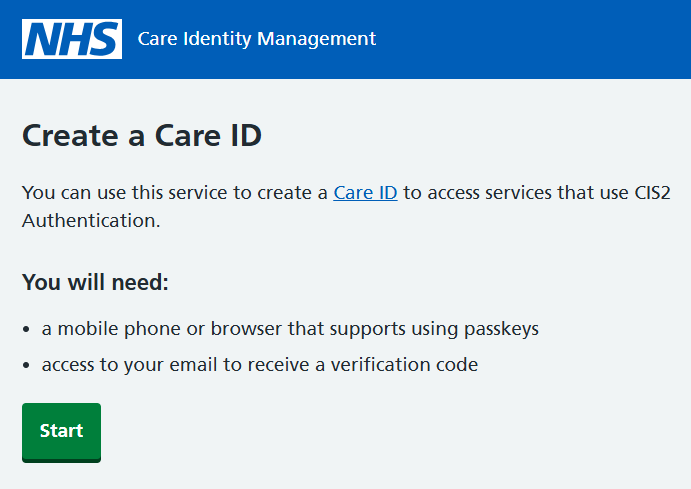
Read the short on-screen instructions, and select 'Start'
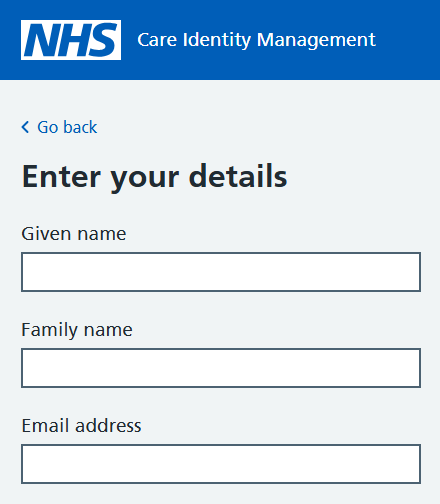
Enter your name and email address. You can use any address you have access to - it does not have to be an NHS address.
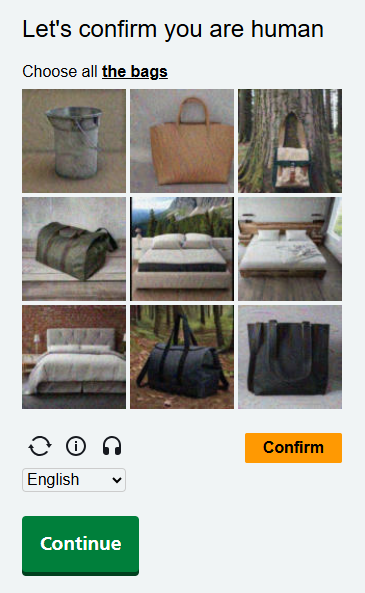
You'll also need to complete an image verification section to confirm that you are human. Follow the on-screen instructions and select 'Confirm' to complete the image verification.
Do not select the green 'Continue' button before you have seen a message confirming that you've completed the image verification. You may see 'Human user check passed', 'That is correct' or a similar confirmation message.
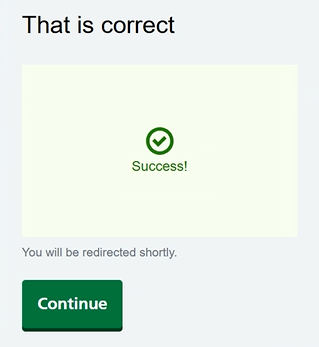
With your details entered and the image verification complete, select 'Continue'. Please note, if you see 'You will be redirected shortly', this is not the case - you will need to select 'Continue' yourself to proceed.
You'll now be sent a security code by email. Enter the code that we've sent to your email inbox, then select 'Continue'.
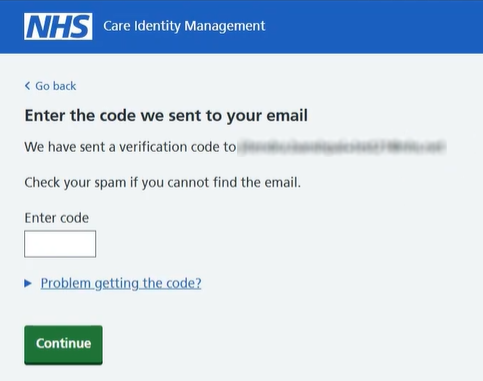
The service will now check your security code and create your Care ID.
Set up a passkey
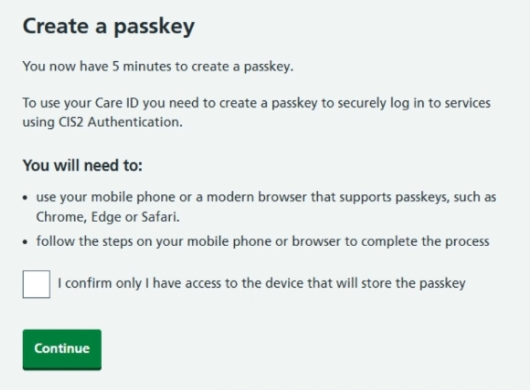
You'll need to set up a passkey on your smartphone to complete the process.
You will only have 5 minutes to complete this section. If you do not complete it within 5 minutes you will be timed out, but you can start again with the same email address.
To set up a passkey, read the on-screen instructions and select 'Continue'.
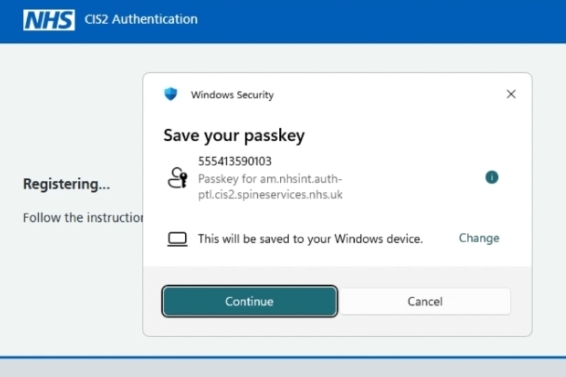
You'll now be asked to save the passkey.
Note: at this stage you might see that the banner within the service has changed from 'Care Identity Management' to 'CIS2 Authentication', but this is normal behaviour.
Select 'Continue'.
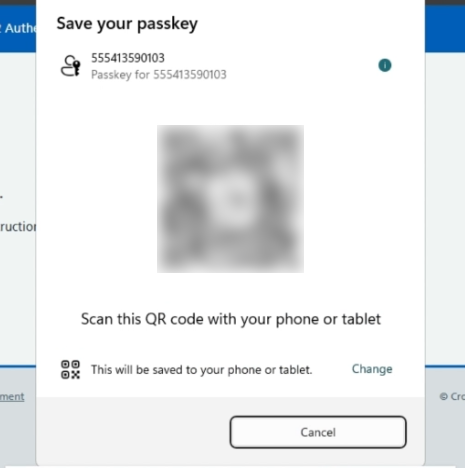
You'll now see a QR code, which you should scan with your device's camera or QR code app.
You'll now see confirmation that the passkey has been registered.
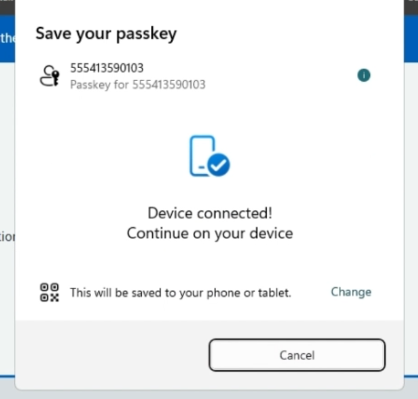
Finally you'll see a confirmation message that your device has successfully been set up.
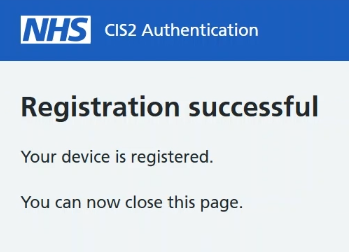
Note: to complete the process you'll need to return to the service you came from and sign in there, such as NHS Service Finder.
Troubleshooting
If you do not complete the process or you are timed out
To complete the process you must complete both these steps:
- create your Care ID by entering a security code we send to your email address
- set up a passkey using your smartphone
You will have 5 minutes to complete the passkey stage. The 5 minutes begin from the moment you see this screen:
If your session times out you will see this error:
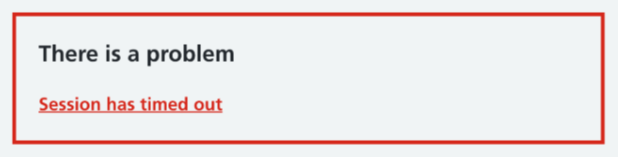
If you do not complete the process within the time limit, or the passkey process fails for any reason, your Care ID will be deleted.
You can start again and reuse the same email address. You may see a message asking you to wait a few minutes before trying again.
If your email address is already associated with a Care ID
If your email address is already in use you will see this screen.
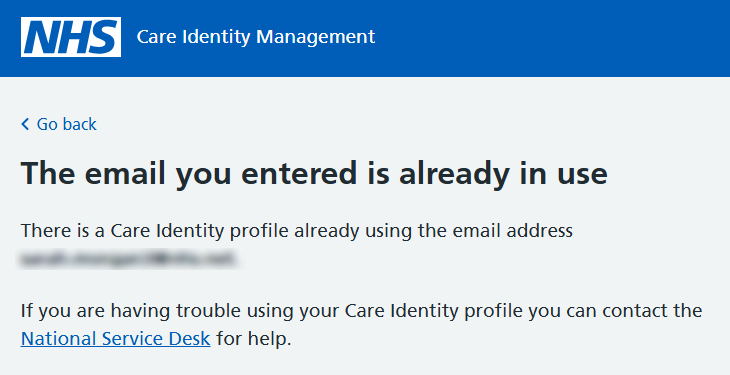
You may have already created a Care ID, or had one created for you. Try returning to the service you need to access and logging in with your email address.
If you have a Care ID but you cannot log in to the service you need to access, you may have a Registration Authority who can help you. They can:
- find out if you have a smartcard or other authenticator already assigned to you
- issue you a new smartcard or other authenticator if you need one
- delete your existing Care ID
Find your Registration Authority.
If your email is in use but do not have a Registration Authority, you will need to get help from the service you are trying to access.
Last edited: 13 October 2026 2:18 pm